

This tool works offline
No internet connection needed.
Write manually or
Status
No alert found
Readability
Grade —
Word count
0 words
Related writing and content tools
Explore more tools to enhance your content creation workflow.
Clarity Writing Editor
Have you ever wondered or asked, "Is there a good writing assistant that just works?". Yes, Saveku Clarity Writing Editor is your answer. It's not just good, it is also free and has a clean user interface. Not to mention, it also works well without any internet connection.
Write confidently. Worry less because you set the bar yourself. Get to know which grade your writing sounds like. Get a better understanding of how our article's readability performs.
How does it work?
All you need to do is write your thoughts inside the textarea form. Imagine you are a Shakespeare with more superpowers.
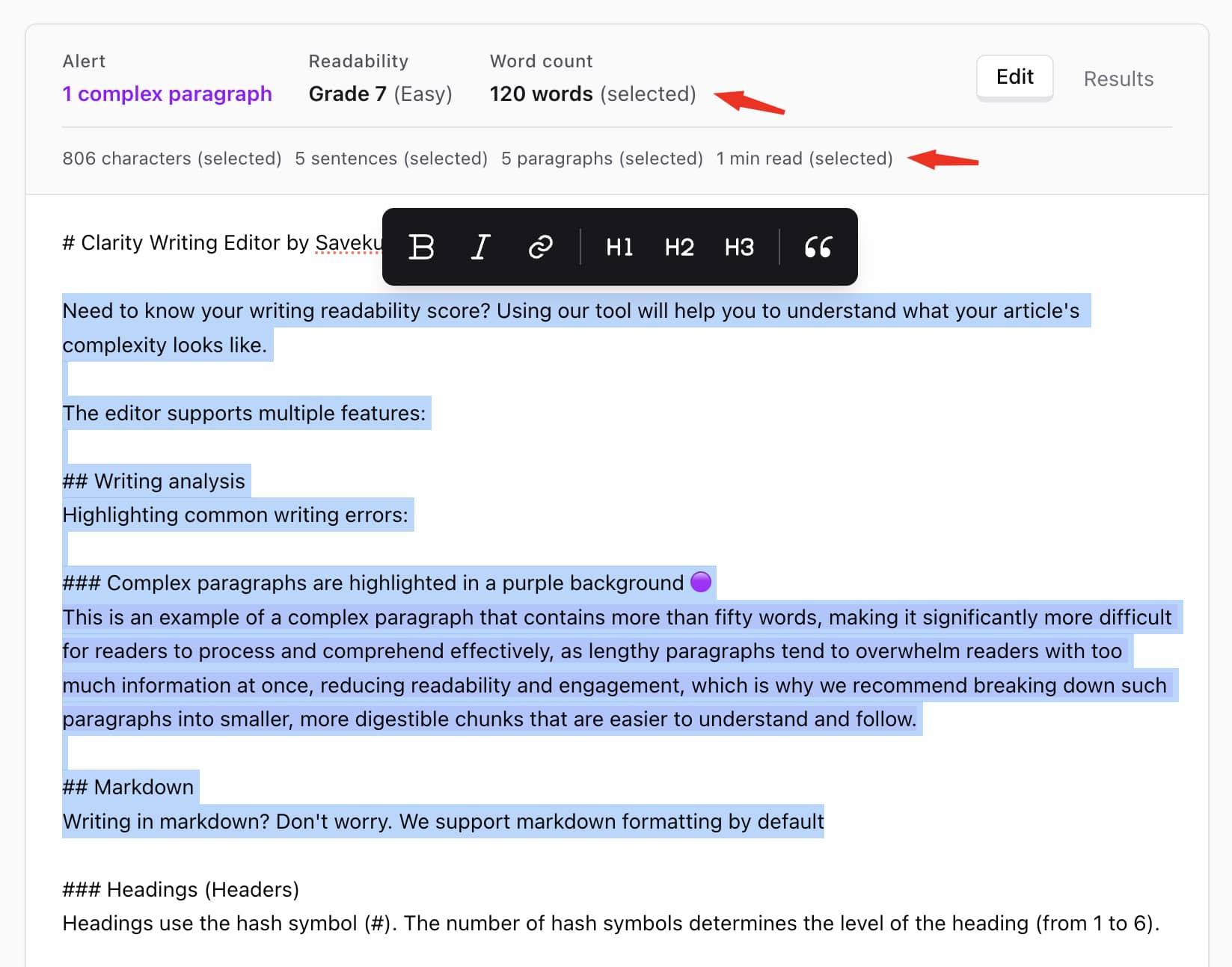
The textarea has a header with several information. Including highlight alerts, readability score, word count, and writing stats. All the stats work dynamically. Means that if you select some texts, the value will change from how it was.
For example, if you have an article with over 1900 words, it is estimated to take about 10 minutes to read. To find out how long it takes to read a few paragraphs, just select those paragraphs, and the stats will automatically calculate the reading time.
Simple but powerful features
You don't need tons of fancy features to be able to write clearly. Sometimes, the simplest methods will give the best results. All you need to do is give it a try and see which method works best for you.
You can use our text editor tool for free without any login credentials.
Talking about our writing quality checker. Here are some of the features that can be your next game-changing writing habits:
Alert highlighting
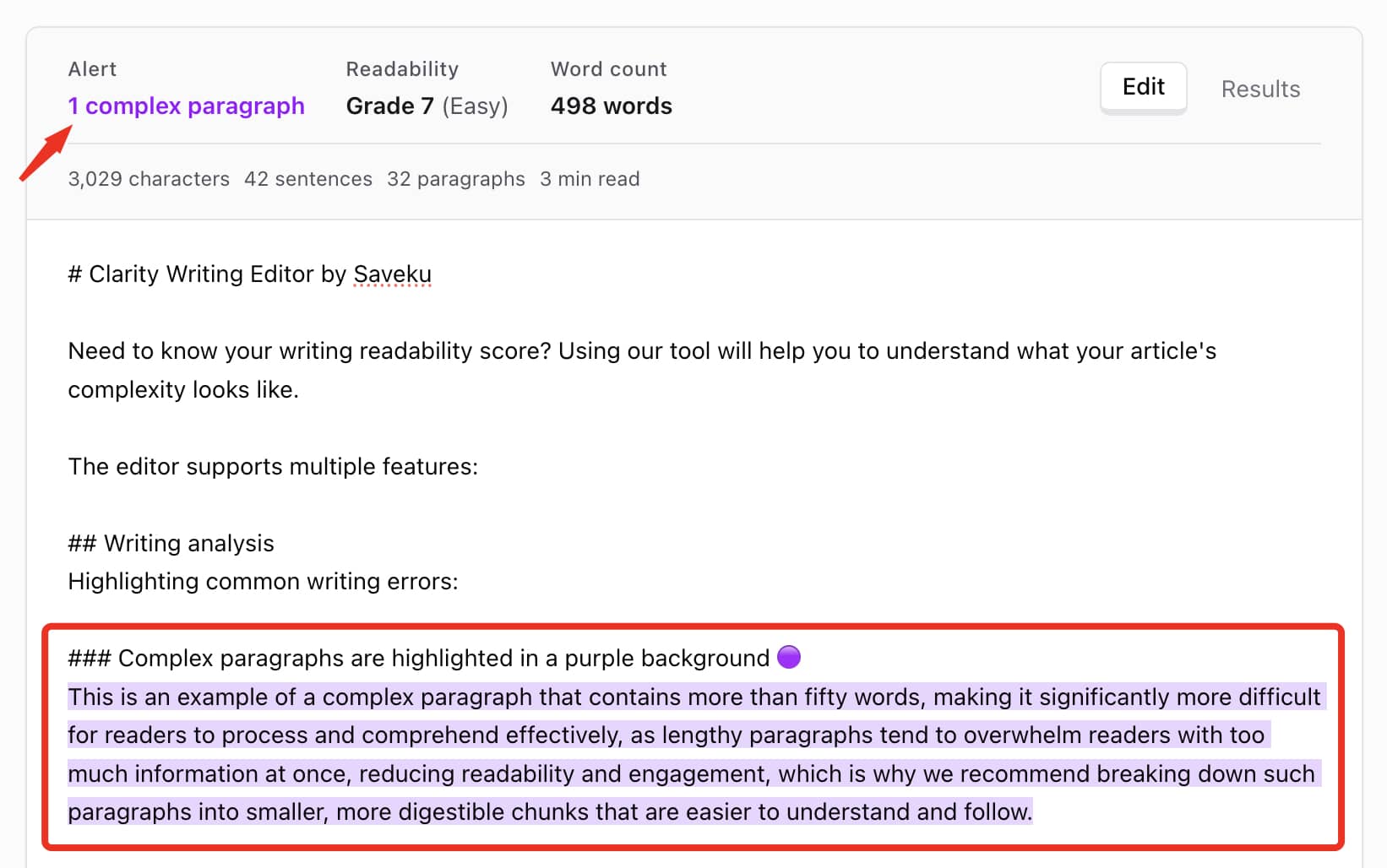
Feel lost tracking your complex paragraphs? Don't worry. We got you.
Our tool automatically detects complex or complicated paragraphs that are hard to read. The sentences will be highlighted in a purple background. Try to split it into another paragraph instead of making it a single big chunk of a sentence that confuses your reader.
You can also see how your readability score performs. The readability score is divided into seven:
- Very easy: suitable for 5th grade or below.
- Easy: suitable for 7th grade or below.
- Fairly easy: suitable for 9th grade or below.
- Standard: suitable for 11th grade or below.
- Fairly difficult: suitable for 13th grade or below.
- Difficult: suitable for 15th grade or below.
- Above that is marked as very difficult.
Markdown formatting made easy
This is most likely a feature that developers use. But don't limit yourself to that. You can try and enjoy Markdown as your regular writing habits.
Why? It's because Markdown supports a lot of features. From making your text bold to writing math equations. It's the same powerful feature as WYSIWYG (What You See Is What You Get).
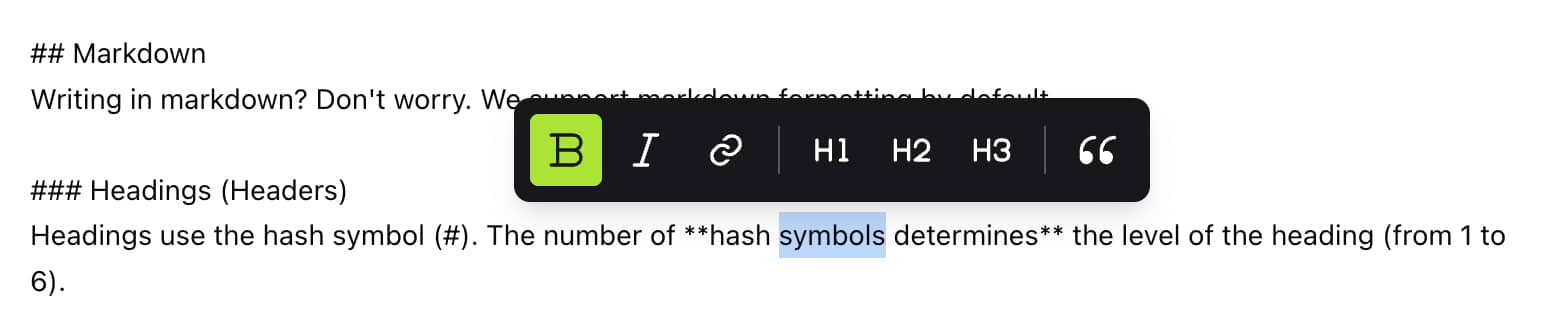
Feel confused about writing in Markdown format. We cover some of the basic WYSIWYG features. Including Bold, Italic, hyperlink, headings (H1, H2, H3), and blockquote. Just select some texts, and a simple tooltip will show up next.
Markdown makes your writing have hierarchy levels and better clarity than regular, unstyled text.
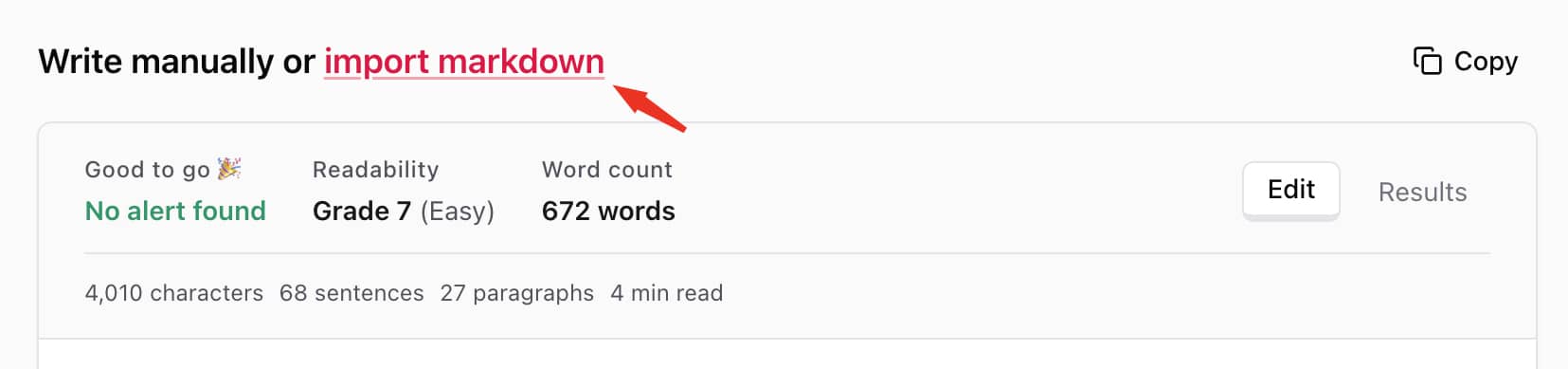
You can either write from scratch or upload your `.md` file.
Works offline with local storage
Need to travel somewhere with no internet connection in the middle of your writing activity? No worries. Our writing editor software will take care of it. You can write whenever you are at. Write from a cafe, write in the jungle, write on a plane. You name it.
It basically saves your texts locally, but won't be affected by browser refresh or reload. But if you move to other computers or write in incognito mode. Then your progress will be gone. As long as you use the same browser, you are good to go.
Who is this writing editor tool for?
It's for everyone. Either you are a hobby writer, a professional blogger, a fictional Stanford's president, a journalist, etc.
The fact that by visiting this page. You might have a chance to find a better alternative than your previous or current writing editor tool. So, welcome to Saveku :)
This tool works offline
No internet connection needed.